


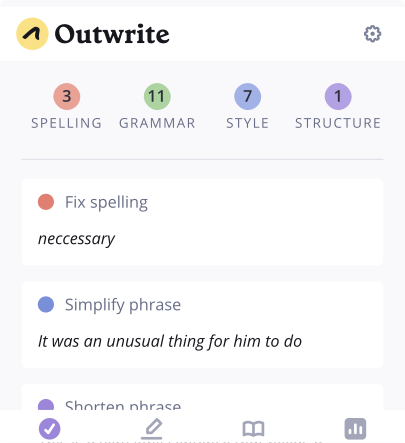


Fix grammar mistakes
Check your work for spelling, grammar, and punctuation errors

Enhance your vocabulary
Select a word to generate a list of synonyms based on the context of your sentence

Rewrite entire sentences
Select a sentence to rephrase or restructure it with our AI paraphrasing tool
Also available on


Frequently asked questions
How do I add Outwrite to Word?
Go to the "Insert" tab and click "Add-ins" (located on the far right). Look up "Outwrite" in the search tab and click "Add". For more instructions, head here.
Is Outwrite free on Word?
Our Word add-in is free to install. It'll give you access to all of our essential features, including advanced grammar corrections, thesaurus and writing statistics. You will need to upgrade to Outwrite Pro to access our advanced features.
How does the Outwrite add-in work?
You'll find spelling, grammar, and style suggestions under the "Corrections" tab. Click on a suggestion to expand it, then click on an option to apply it to your document. There are also tabs for accessing the Thesaurus and writing statistics.
How can I rewrite a sentence?
Open the "Rewrite" tab. Select the sentence you'd like to paraphrase, choose a goal, then view the list of options. Note: this feature is only available to Pro users.
Join 1 million happy users
Outwrite is empowering people to become better writers, all over the world
To be honest, I don't know how I managed before I used Outwrite
Deb Carr
Publisher, Sydney Chic
Outwrite is by far the best proofreading add-on I've found
Jacob S
Teacher
Unlike other expensive grammar programs, it's so easy to get in there and make multiple quick fixes
Kimberly S
Author